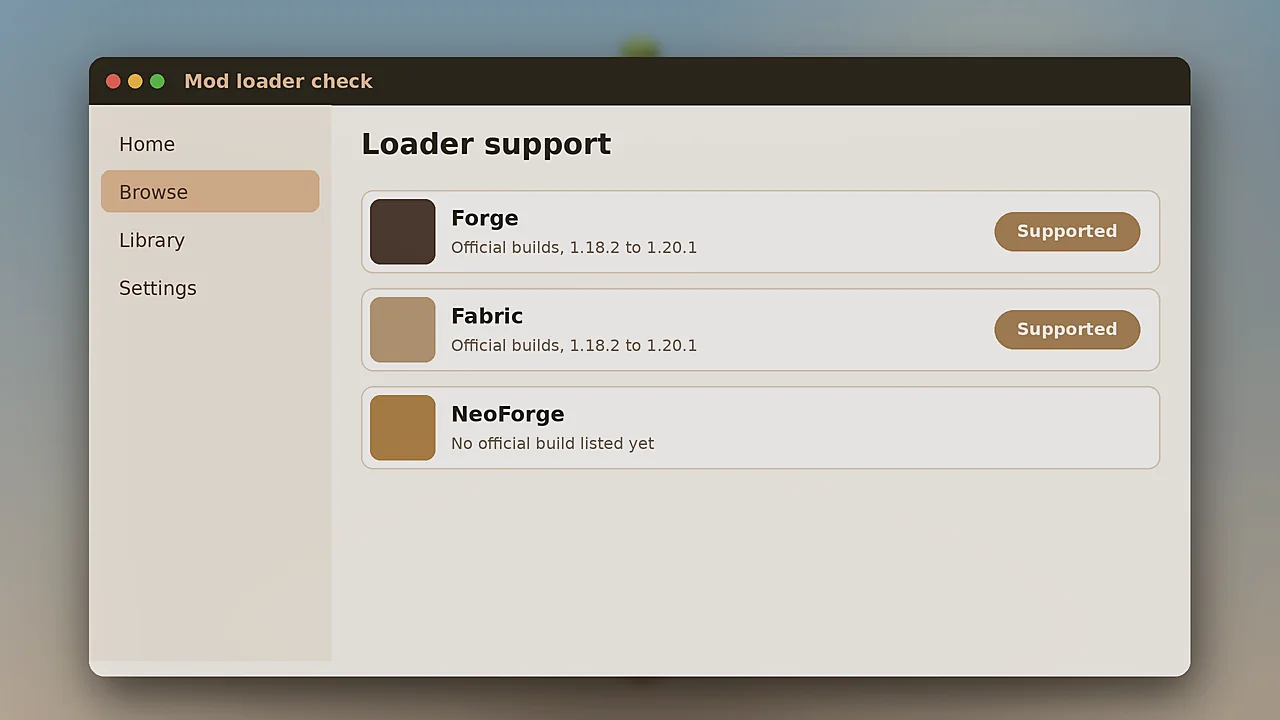
NeoForge has become the loader of choice for many packs on newer Minecraft versions. Players naturally ask whether the Fossils and Archeology Mod works on it. Here is the current picture and the safest way to proceed.
The official status
At the time of writing, the official project pages list Forge and Fabric builds for Minecraft 1.18.2 to 1.20.1. NeoForge is not listed as an official target. Always check the Versions tab on Modrinth or CurseForge, because this can change with any release.
Why NeoForge matters
NeoForge split from Forge in 2023 and most active mod developers moved with it for versions after 1.20.1. Packs on 1.20.2 and later are usually NeoForge only.
Trying it on NeoForge 1.20.1
NeoForge for 1.20.1 stays close to Forge, so many Forge 1.20.1 mods still load. Some players run the Forge build of this mod there. It may work, but it is not supported, so problems will not be fixed by the team.
How to test safely
- Create a separate NeoForge 1.20.1 instance.
- Add the Forge 1.20.1 mod file and every dependency.
- Start a throwaway world and test hatching, riding and structures.
- Check the log for warnings before trusting it with a real world.
The safest choice today
For a stable world or server, use the official Forge or Fabric build. You get tested releases and a place to report bugs. Our download page lists both, and the installation guide covers each loader.
Following future updates
Watch the official pages and the team's Discord for loader news. When a NeoForge build lands, we will update this article and the download table.
